 Oleksii Andriiuk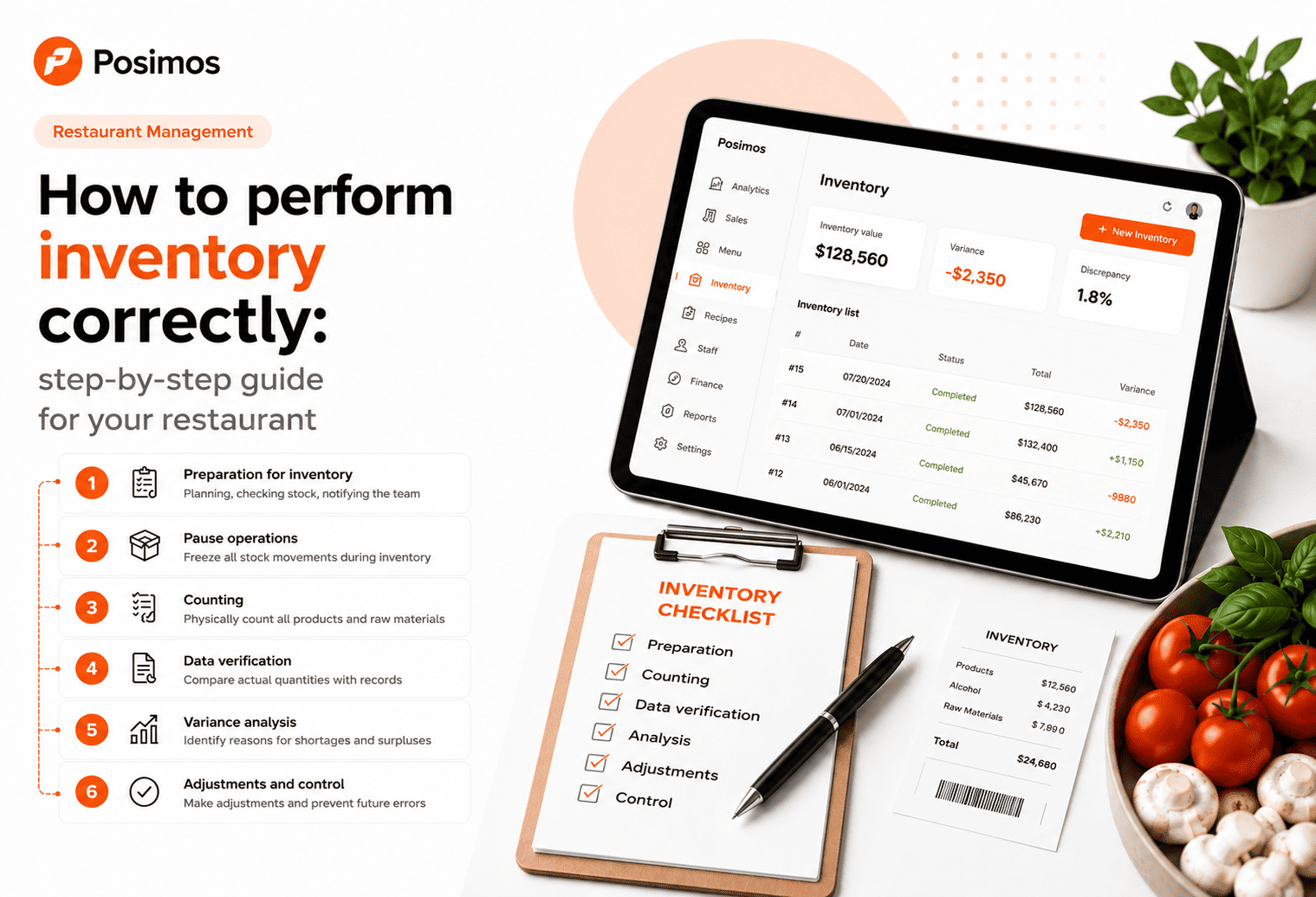
What Is Restaurant Inventory?
Inventory is the process of counting the actual quantity of ingredients, beverages, and other stock items and comparing them with the records in your inventory management system.
Its primary goal is to ensure that the physical stock matches the recorded inventory.
If discrepancies are found, their causes should be identified and resolved.
Why Is Regular Inventory Important?
Performing inventory on a regular basis helps you:
- monitor inventory levels;
- detect shortages early;
- identify staff errors;
- prevent theft;
- control product write-offs;
- maintain accurate food costs;
- improve purchasing decisions;
- reduce food waste.
Without regular inventory control, a restaurant gradually loses profit—even when sales remain strong.
How Often Should You Perform Inventory?
The ideal frequency depends on your restaurant's operation.
| Inventory Type | Recommended Frequency |
|---|---|
| Bar inventory | Daily or every shift |
| Core ingredients | Once a week |
| Full inventory count | Once a month |
| High-value products (meat, seafood, alcohol) | 2–3 times per week |
Restaurants with high sales volumes often benefit from conducting smaller, more frequent inventory counts instead of one large monthly inventory.
Step-by-Step Guide to Restaurant Inventory
Step 1. Stop Inventory Movement
Before starting the inventory count, you should:
- close the current shift;
- complete all customer orders;
- stop receiving deliveries;
- avoid making inventory write-offs during the count.
This ensures the most accurate inventory results.
Step 2. Organize Your Storage Area
Before counting products:
- arrange all inventory properly;
- remove empty containers;
- check product labels;
- group identical items together.
A well-organized storage area makes inventory much faster and more accurate.
Step 3. Count Physical Inventory
Every product should be counted or weighed carefully.
For example:
- flour — kilograms;
- milk — liters;
- cheese — kilograms;
- coffee beans — grams;
- alcohol — liters or bottles.
Avoid estimating or rounding quantities, as even small inaccuracies accumulate over time.
Step 4. Compare Physical Stock with System Records
After completing the count, compare the physical inventory with your POS or inventory management system.
If differences appear, investigate the reason.
Common causes include:
- incorrect inventory write-offs;
- purchasing errors;
- recipes not being followed correctly;
- misplaced products;
- theft;
- human error.
Step 5. Analyze Inventory Discrepancies
Never simply adjust inventory numbers without investigating the cause.
Every shortage or surplus should have a clear explanation.
Pay particular attention to products that consistently show discrepancies, as they often indicate recurring operational problems.
Common Inventory Mistakes
Even experienced restaurants make inventory mistakes.
The most common ones include:
- using inconsistent units of measurement;
- inaccurate weighing;
- rounding inventory quantities;
- counting products twice;
- performing inventory while the kitchen is operating;
- outdated recipe cards;
- delayed inventory write-offs.
Any of these mistakes can significantly reduce inventory accuracy.
How to Automate Restaurant Inventory
As your restaurant grows, manual inventory becomes increasingly time-consuming.
Modern POS systems simplify the entire process.
With Posimos, you can:
- manage inventory digitally;
- automatically deduct ingredients based on recipe cards;
- monitor stock levels in real time;
- perform inventory counts much faster;
- identify shortages instantly;
- analyze inventory movement;
- monitor food costs accurately.
Automation reduces manual work, minimizes errors, and gives restaurant owners complete control over inventory.
Conclusion
Inventory is much more than a routine task—it is one of the most important tools for managing a profitable restaurant.
Regular inventory checks help prevent losses, maintain accurate stock records, improve purchasing decisions, and increase overall profitability.
The more consistently you monitor your inventory, the easier it becomes to control costs, maintain accurate food costs, and grow a successful restaurant.